




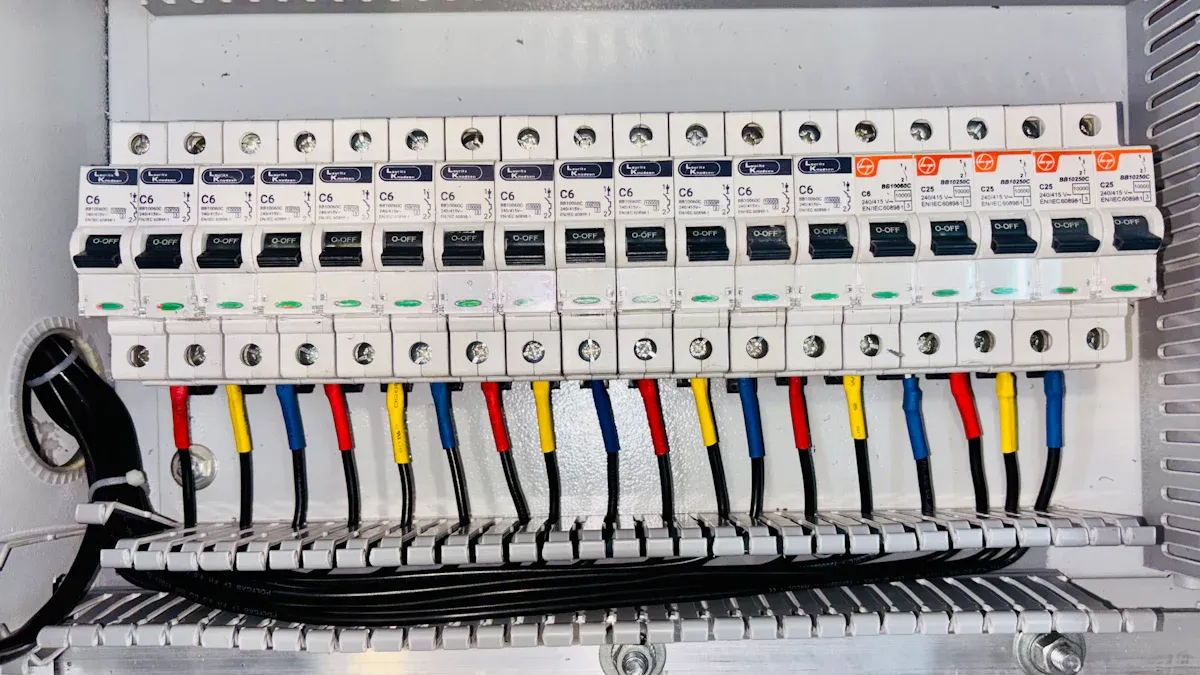
The right basic PDU significantly transforms a small to medium business’s power infrastructure, ensuring robust reliability and protection. This guide simplifies complex choices, recommending top-tier power distribution units that deliver essential power without unnecessary features. Selecting a cost-effective and easy-to-use basic PDU safeguards critical IT equipment in 2025. Downtime can cost small businesses an average of $427 per minute, making reliable power distribution crucial.
Key Takeaways
- Basic PDUs are vital for small businesses. They provide reliable power and protect IT equipment.
- Basic PDUs are better than power strips. They offer more durability, power, and safety features.
- Choose a PDU with surge protection and circuit breakers. These features protect your valuable IT gear.
- Consider PDU outlet types and mounting options. Match them to your current and future equipment needs.
- Calculate your total power load carefully. This ensures you pick the right PDU amperage.
- Install your PDU correctly. Ensure good airflow and manage cables neatly.
- Perform regular checks on your PDU. Look for wear and follow maintenance tips.
- Invest in a quality basic PDU. It offers long-term value and supports business growth.
Why a Basic PDU is Essential for SMBs
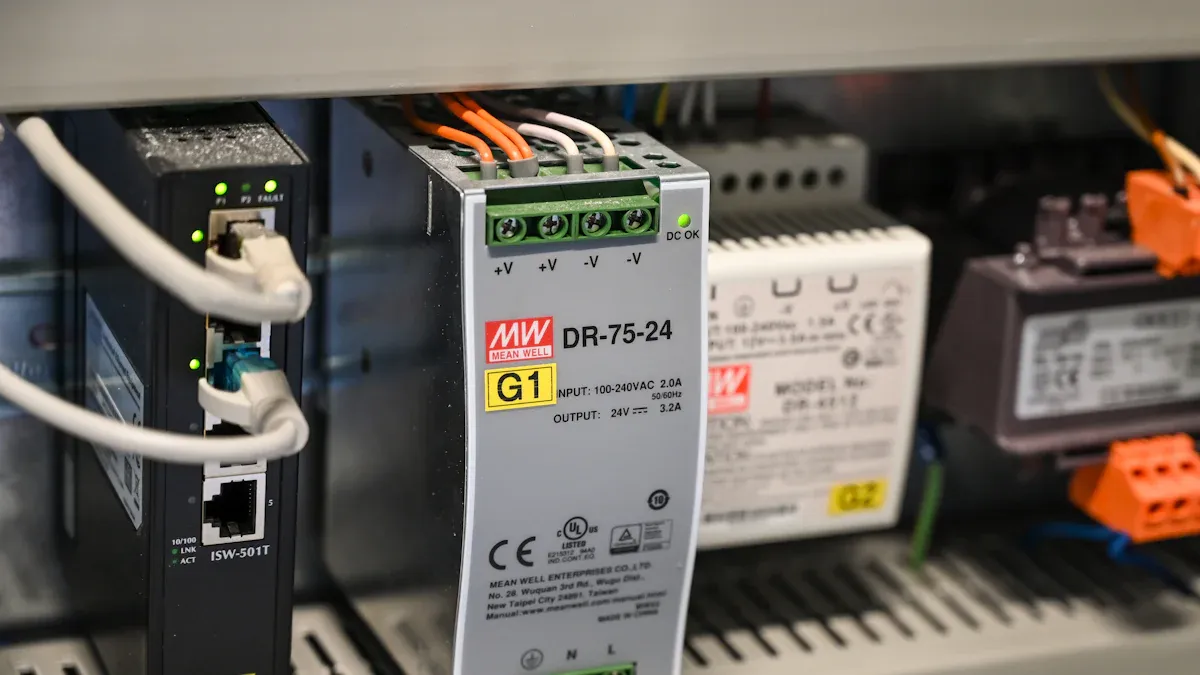
Small to medium businesses often underestimate the importance of robust power distribution. A basic PDU provides the foundational power infrastructure necessary for reliable IT operations, moving beyond the limitations of consumer-grade solutions.
Beyond Standard Power Strips
Limitations of Consumer Power Strips
Consumer power strips, while common in homes and small offices, lack the durability and advanced safety features required for critical IT equipment. They typically offer limited power capacity and are not designed for continuous, heavy loads. Their construction often involves plastic casings, making them less robust for server room environments.
| Feature | PDU | Power Strip |
|---|---|---|
| Purpose | Designed for data centers, server racks, and industrial environments to distribute and manage power to multiple devices. | Primarily for home or office use, extending the number of available outlets for consumer electronics. |
| Construction & Durability | Built with high-quality, robust materials (e.g., metal casing) for continuous operation and harsh environments. Often rack-mountable. | Typically made of plastic, less durable, and designed for light to moderate use. |
| Power Capacity & Amperage | Higher power capacity, often supporting 15A, 20A, 30A, or even higher, with industrial-grade components. | Lower power capacity, usually limited to 10A or 15A, suitable for household appliances. |
| Safety Features | Advanced safety features like circuit breakers, surge protection, overload protection, and sometimes individual outlet fusing. | Basic surge protection and circuit breakers are common, but less sophisticated than PDUs. |
| Mounting Options | Designed for rack mounting (horizontal or vertical) in server cabinets. | Usually designed to sit on a floor or desk, or sometimes wall-mounted. |
| Reliability | High reliability for critical applications, designed for 24/7 operation. | Moderate reliability, not intended for continuous heavy loads or critical infrastructure. |
Advantages of Rack-Mountable Basic PDUs
Rack-mountable basic PDUs offer significant advantages. They feature robust metal casings and industrial-grade components, ensuring continuous operation in demanding environments. These units provide higher power capacity, often supporting 15A, 20A, or 30A, suitable for multiple servers and networking devices. Their design allows for seamless integration into server racks, optimizing space and organization.
Protecting Your IT Investment with a Basic PDU
Surge Protection for Critical Equipment
Power surges pose a significant threat to sensitive IT equipment. A basic PDU includes integrated surge protection, safeguarding servers, switches, and other critical devices from voltage spikes. This protection prevents costly hardware damage and data loss, ensuring business continuity.
Overload Prevention and Circuit Breakers
Overloading electrical circuits can lead to power outages and equipment failure. Basic PDUs incorporate circuit breakers that automatically trip when the current exceeds a safe limit. This feature prevents overcurrent situations, protecting connected devices and the PDU itself from damage.
Streamlining Power Distribution and Cable Management
Organized Power Delivery in Racks
Effective power distribution is crucial for efficient data center operations. Rack-level DC power distribution eliminates unnecessary conversion steps, significantly cutting energy waste and leading to higher efficiency. Fewer conversion losses in DC systems mean more power reaches IT equipment; studies indicate savings of around 10% of power between utility infeed and server load. Three-phase systems also provide reliability and redundancy; if one phase becomes faulty, power is still deliverable through at least two phases, minimizing operational disruption for data centers. Improved load balancing in three-phase systems distributes power consumption among phases, reducing stress on circuits, leading to more stable power delivery and minimizing overloading or overheating. Research shows balanced distribution enhances operational performance by 25% in fluctuating power scenarios.
Reducing Clutter and Improving Airflow
Cluttered cables obstruct airflow and make maintenance difficult. Basic PDUs, especially vertical models, facilitate organized cable routing within server racks. Proper airflow is essential for maintaining the right temperature for servers and networking equipment, preventing overheating which can reduce performance and increase hardware failure risk. Efficient cooling helps prolong equipment lifespan and ensures reliable performance through consistent temperature regulation. Integrated cable management features enhance airflow efficiency, leading to reduced cooling costs.
Ensuring Business Continuity with Reliable Basic PDU Power
Small businesses depend heavily on their IT infrastructure. Any disruption to power can halt operations, leading to significant financial losses and damage to reputation. A robust power distribution strategy, centered around a reliable Basic PDU, forms the backbone of uninterrupted business activity.
Minimizing Downtime Risks
Downtime represents a critical threat to small and medium businesses. When servers, networks, or workstations lose power, employees cannot work, transactions stop, and customer services cease. This directly impacts revenue and customer satisfaction. A Basic PDU minimizes these risks by providing a dedicated, stable power source for critical equipment. It prevents power-related outages that can stem from overloaded circuits or unprotected power lines. By centralizing power distribution and offering essential protection features like circuit breakers, a Basic PDU ensures that minor electrical issues do not escalate into widespread system failures. This proactive approach safeguards business operations against unexpected power interruptions, keeping systems online and productive.
The Role of Stable Power in Operations
Stable power is indispensable for the optimal performance and longevity of IT equipment. Fluctuations in voltage, whether sags or spikes, can degrade hardware over time, leading to premature component failure. Unstable power also corrupts data, causing system crashes and requiring extensive recovery efforts. A Basic PDU delivers consistent and clean power to all connected devices. It acts as a buffer, ensuring that sensitive electronics receive the precise electrical current they need to function correctly. This stability protects internal components from stress, extends the lifespan of valuable IT assets, and maintains data integrity. Businesses can operate with confidence, knowing their critical systems receive reliable power, which is fundamental for smooth, continuous operations and overall business resilience.
Key Features to Look for in a Basic PDU
Selecting the right power distribution unit requires careful consideration of its features. A well-chosen Basic PDU ensures efficient power delivery and protects valuable IT assets. Businesses must evaluate several key aspects to find the most suitable unit.
Understanding Basic PDU Outlet Configurations
Common Outlet Types (NEMA 5-15R, C13)
Basic PDUs offer various outlet types to accommodate different equipment. Common configurations include NEMA 5-15R and IEC C13 outlets. Other types like C19, 5-20R, and L5-30R also appear. Some PDUs even feature hybrid outlets, such as C13/C15 and C19/C21, offering greater flexibility.
| Outlet Type | Standard | Voltage | Amperage | Common Use Cases |
|---|---|---|---|---|
| 5-15R | NEMA | 120V | 15A | Standard devices |
| 5-20R | NEMA | 120V | 20A | 20A devices |
| L5-30R | NEMA | 120V | 30A | Locking type for 30A applications |
| C13 | IEC | N/A | N/A | Servers and networking gear |
| C19 | IEC | N/A | N/A | Higher power demands, blade servers, large switches |
Determining Optimal Outlet Count
Businesses should assess their current and future equipment needs to determine the optimal number of outlets. It is wise to choose a PDU with more outlets than immediately required. This provides room for growth and avoids the need for additional power strips, which can compromise safety and organization.
Basic PDU Form Factors and Mounting
1U Horizontal Rack-Mount Basic PDUs
Horizontal PDUs typically occupy 1U or 2U of rack space. They mount directly into the front or rear of a standard server rack. This form factor suits racks with limited vertical space but ample horizontal room. They offer convenient access to outlets for equipment within the same rack unit.
0U Vertical Rack-Mount Basic PDUs
Vertical PDUs, also known as 0U PDUs, mount vertically along the side of a server rack. They do not consume any horizontal rack units. This design maximizes space efficiency within the rack. Vertical PDUs often provide a higher number of outlets, distributing power to equipment throughout the entire rack height.
Input Plug Types and Amperage for Basic PDUs
Standard NEMA 5-15P and 5-20P Plugs
The input plug type dictates how the PDU connects to the facility’s power source. Standard NEMA 5-15P plugs are common for 15-amp circuits. NEMA 5-20P plugs handle 20-amp circuits, providing more power capacity. Businesses must match the PDU’s input plug to their available wall receptacles or UPS outputs.
Matching PDU Input to Power Supply
Correctly matching the PDU’s input plug and amperage rating to the power supply prevents overloads and ensures safe operation. An undersized PDU can trip circuit breakers, causing downtime. An oversized PDU might not fit the available power infrastructure. Always verify the power source’s voltage and amperage before selecting a PDU.
Essential Protection Features in Basic PDUs
A well-chosen power distribution unit safeguards valuable IT assets. Businesses must evaluate several key aspects to find the most suitable unit. Essential protection features ensure the longevity and reliability of connected equipment.
Integrated Surge Protection (Joule Rating)
Power surges pose a significant threat to sensitive IT equipment. A Basic PDU often includes integrated surge protection. This feature shields servers, switches, and other critical devices from sudden voltage spikes. Surge protection prevents costly hardware damage and data loss. The Joule rating indicates the amount of energy the surge protector can absorb before failure. A higher Joule rating offers greater protection for connected electronics. This protection ensures business continuity by preventing unexpected outages caused by electrical disturbances.
Circuit Breakers for Safety
Overloading electrical circuits leads to power outages and equipment failure. Basic PDUs incorporate circuit breakers. These devices automatically trip when the current exceeds a safe limit. This feature prevents overcurrent situations. It protects connected devices and the PDU itself from damage. Circuit breakers are crucial for maintaining a safe operating environment. They also prevent potential fire hazards. This safety mechanism ensures the stability of the power supply to critical IT infrastructure.
Durable Construction for Basic PDU Longevity
The physical construction of a power distribution unit directly impacts its lifespan and reliability. High-quality materials and adherence to industry standards ensure the PDU withstands demanding operational environments.
Material Quality and Build
Robust construction is vital for a PDU operating in a server rack. Manufacturers use durable materials like metal casings for these units. This construction ensures the PDU withstands the rigors of a data center environment. Industrial-grade components contribute to the unit’s overall reliability. A sturdy build prevents physical damage and ensures consistent performance over time. This durability translates into a longer operational life for the PDU. It also reduces the need for frequent replacements.
Industry Certifications and Standards
Industry certifications confirm a PDU meets specific safety and performance benchmarks. These certifications provide assurance of quality and compliance. Key certifications include:
- UL Listed Mark: This signifies the product meets Underwriters Laboratories’ safety standards. It ensures the PDU is reasonably free from fire, electric shock, and other hazards.
- CE Mark: This European mark indicates compliance with EU standards for safety. It specifically addresses the low-voltage directive for electronic equipment.
- IEC CB Scheme: This global standard focuses on the safety of electronic equipment. PDUs conform to IEC 60950-1 and the newer IEC 62368-1 standards. These emphasize product safety during design.
- FCC Compliance: This ensures the PDU’s electromagnetic emissions do not interfere with other devices. It also prevents risks to the public.
- UKCA Mark: This United Kingdom Conformity Assessed mark follows the CE mark scheme for products sold in the UK.
These certifications guarantee the PDU’s safety and reliability. They also ensure its compatibility within various regulatory frameworks.
Top Recommended Basic PDUs for SMBs in 2025
Selecting the right basic PDU is a critical decision for small to medium businesses. These units form the backbone of a reliable power infrastructure. This section highlights top-tier basic PDUs, offering a blend of durability, essential features, and cost-effectiveness. They ensure IT equipment remains powered and protected.
APC Basic Rack PDU AP9562
Overview and Core Strengths
The APC Basic Rack PDU AP9562 stands out as a robust, rack-mountable power distribution unit. It offers a solid build quality, ensuring long-term reliability in demanding IT environments. This PDU features high-grade outlets and a generous 12-foot NEMA 5-15 power cord, providing flexibility in rack placement. It includes a 15 amp Circuit Breaker, protecting connected devices from overcurrent situations. The unit provides 10 NEMA 5-15 outlets, spaced sufficiently for various power adapters. This PDU is ideal for basic applications that do not require advanced features like LED Load Indicators or remote management capabilities. It also includes both horizontal and vertical mounting brackets, enhancing its versatility. A 2-year manufacturer warranty provides additional peace of mind.
Key Features for SMBs
The AP9562 offers essential features tailored for small to medium businesses. Its design prioritizes straightforward power distribution and protection.
- Environmental Resilience:
- Operating Temperature: 23 – 113 °F (-5 – 45 °C)
- Operating Relative Humidity: 0 – 95 %
- Operating Elevation: 0 – 10000ft (0 – 3048 meters)
- Storage Temperature: -25 – 65 °C
- Storage Relative Humidity: 0 – 95 %
- Storage Elevation: 0 – 50000ft (0 – 15240 meters)
- Compliance and Warranty:
- Approvals: cUL listed, METI Denan, UL listed
- Standard warranty: 2 years repair or replace
- RoHS: Compliant
- Power Specifications:
- Input: 100V, 120V
- Input Connections: NEMA 5-15P
- Cord Length: 12 feet (3.66 meters)
- Output: 120V
- Output Connections: (10) NEMA 5-15R
- Includes: Installation guide, Rack Mounting brackets
Ideal Use Cases
This APC PDU is perfect for small server rooms, network closets, and individual server racks where basic, reliable power distribution is the primary need. It suits environments requiring a dependable power source without the complexity or cost of advanced monitoring features. Businesses setting up new IT infrastructure or upgrading from standard power strips find it highly beneficial.
Pros and Cons
👍 Pros:
- Robust build quality ensures durability.
- Includes a 15 amp circuit breaker for overload protection.
- Offers 10 NEMA 5-15R outlets with good spacing.
- Comes with both horizontal and vertical mounting brackets for flexible installation.
- Backed by a 2-year manufacturer warranty.
- UL listed, ensuring safety and compliance.
👎 Cons:
- Lacks advanced features like remote management or individual outlet control.
- No built-in surge protection, requiring an external solution if needed.
- Limited to 15A capacity, which might not suffice for very high-density racks.
- As of recent checks, it has not yet received user reviews, making it harder to gauge widespread user satisfaction.
Tripp Lite Basic PDU PDU1215
Overview and Core Strengths
The Tripp Lite Basic PDU PDU1215 delivers reliable power distribution for various IT applications. It provides 1.8kW of single-phase 120V AC power, making it suitable for many small business setups. This PDU features a NEMA 5-15P input with a long 15-ft. (4.57 m) cord, offering flexibility in power source connection. It includes 13 NEMA 5-15R outlets, with 12 located at the rear and 1 conveniently placed at the front. Its switchless design prevents accidental shutdowns, ensuring continuous power to critical equipment. The reversible all-metal housing allows for versatile mounting options, including rack, wall, or under-counter installations.
Key Features for SMBs
The PDU1215 offers practical features designed to meet the power needs of small to medium businesses. Its robust design and ample outlets make it a strong contender.
- Power Delivery: 1.8kW Single-Phase 120V AC power
- Input: NEMA 5-15P with a 15-ft. (4.57 m) cord
- Outlets: 13 NEMA 5-15R (12 rear, 1 front)
- Design: Switchless to prevent accidental shutdown
- Housing: Reversible all-metal
- Mounting Options: Rack, wall, or under counter
- SKU: PDU1215
Ideal Use Cases
This Tripp Lite PDU is an excellent choice for small office server racks, network cabinets, and audio/video installations. Its versatile mounting options make it suitable for non-traditional IT spaces, such as retail back offices or educational labs. Businesses needing a straightforward, high-density outlet solution without complex features will find it highly effective.
Pros and Cons
👍 Pros:
- High outlet count (13 NEMA 5-15R) for connecting numerous devices.
- Long 15-ft. input cord provides installation flexibility.
- Switchless design prevents accidental power interruptions.
- Reversible all-metal housing offers durable and versatile mounting.
- Front-facing outlet provides convenient access for temporary connections.
- Cost-effective solution for basic power distribution.
👎 Cons:
- Lacks advanced power monitoring or remote management capabilities.
- No integrated surge protection, requiring an external surge suppressor for sensitive equipment.
- Limited to 15A capacity, similar to other basic PDUs.
CyberPower Basic PDU PDU15M10F
Overview and Core Strengths
The CyberPower Basic PDU PDU15M10F provides reliable and efficient power distribution for IT equipment in server racks and network cabinets. This PDU features a robust, industrial-grade metal housing, ensuring durability and longevity in demanding environments. It offers a straightforward design focused on delivering consistent power without unnecessary complexities. The PDU includes a built-in circuit breaker, protecting connected devices from overloads and short circuits. Its design facilitates easy installation and integration into standard rack setups.
Key Features for SMBs
CyberPower’s PDU15M10F offers essential features that cater to the fundamental power distribution needs of small to medium businesses. It prioritizes safety and ease of use.
- Robust Construction: Durable metal housing withstands harsh IT environments.
- Overload Protection: Integrated 15-amp circuit breaker prevents overcurrents.
- Multiple Outlets: Typically features 10 NEMA 5-15R outlets for connecting various devices.
- Rack-Mountable Design: Supports 1U horizontal installation in standard server racks.
- Input Plug: Standard NEMA 5-15P input plug for common power sources.
- Long Power Cord: Often includes a lengthy power cord for flexible placement.
Ideal Use Cases
This CyberPower PDU is well-suited for small server rooms, network closets, and individual equipment racks. It serves businesses needing a dependable power strip for their IT gear, such as servers, switches, and routers. Its simplicity and protective features make it ideal for environments where budget and reliability are key considerations.
Pros and Cons
👍 Pros:
- Durable metal construction ensures long-term reliability.
- Integrated circuit breaker provides essential overload protection.
- Multiple outlets accommodate various IT devices.
- Easy 1U rack-mount installation.
- Cost-effective solution for basic power distribution needs.
👎 Cons:
- Does not offer advanced features like remote monitoring or individual outlet control.
- Lacks integrated surge protection, requiring separate surge suppressors for sensitive equipment.
- Limited to 15A capacity, which may restrict its use in high-power density applications.
Eaton Basic Rack PDU EBA101-10
Overview and Core Strengths
The Eaton Basic Rack PDU EBA101-10 provides reliable power distribution for IT equipment. It features a robust design, ensuring durability in demanding data center environments. This PDU delivers essential power without complex features, making it ideal for small to medium businesses. Its compact 1U form factor saves valuable rack space. The EBA101-10 includes a 15A circuit breaker, protecting connected devices from overloads. It offers 10 NEMA 5-15R outlets, providing ample connectivity for servers and networking gear. Eaton builds this PDU with high-quality materials, ensuring long-term performance and reliability.
Key Features for SMBs
The Eaton EBA101-10 offers practical features specifically designed for small to medium businesses. It focuses on straightforward power delivery and protection.
- Power Capacity: 1.44 kW at 120V, 12A
- Input Connection: NEMA 5-15P plug with a 10 ft (3 m) cord
- Output Outlets: 10 x NEMA 5-15R receptacles
- Form Factor: 1U horizontal rack-mount
- Protection: Integrated 15A circuit breaker
- Construction: Durable metal housing
- Compliance: UL listed, ensuring safety standards
Ideal Use Cases
This Eaton PDU is an excellent choice for small server rooms, network closets, and individual equipment racks. It suits businesses needing a dependable power solution for their IT infrastructure, including servers, switches, and routers. Its simplicity and protective features make it ideal for environments where reliability and space efficiency are crucial. Businesses upgrading from standard power strips or setting up new IT installations will find it highly beneficial.
Pros and Cons
👍 Pros:
- Compact 1U horizontal design saves rack space.
- Integrated 15A circuit breaker provides essential overload protection.
- Durable metal construction ensures long-term reliability.
- Offers 10 NEMA 5-15R outlets for multiple devices.
- UL listed, guaranteeing safety and compliance.
- Easy to install and use.
👎 Cons:
- Lacks advanced features like remote monitoring or individual outlet control.
- Does not include integrated surge protection.
- Limited to 15A capacity, which may not suit high-density power requirements.
StarTech.com 1U Rack Mount Basic PDU PDU15M10ST
Overview and Core Strengths
The StarTech.com 1U Rack Mount Basic PDU PDU15M10ST provides reliable power distribution for rack-mounted equipment. It features a durable steel chassis, ensuring longevity in demanding IT environments. This PDU offers a straightforward design, focusing on essential power delivery without unnecessary complexities. It includes 10 NEMA 5-15R outlets, providing ample connectivity for various devices. The PDU also features a built-in 15A circuit breaker, protecting connected equipment from overloads. Its 1U horizontal form factor makes it easy to integrate into standard server racks.
Key Features for SMBs
The PDU15M10ST offers practical features tailored for small to medium businesses. It prioritizes safety, durability, and ease of use.
- Power Capacity: 15A, 120V
- Input Connection: NEMA 5-15P plug with a 6 ft (1.8 m) cord
- Output Outlets: 10 x NEMA 5-15R receptacles
- Form Factor: 1U horizontal rack-mount
- Protection: Integrated 15A circuit breaker
- Construction: Durable steel chassis
- Mounting: Includes mounting hardware for easy installation
Ideal Use Cases
This StarTech.com PDU is suitable for small office server rooms, network closets, and home labs. It serves businesses needing a dependable power strip for their IT gear, such as servers, switches, and routers. Its compact design and essential protective features make it ideal for environments where space is limited and reliability is paramount. It provides a cost-effective solution for basic power distribution needs.
Pros and Cons
👍 Pros:
- Durable steel construction ensures long-term reliability.
- Integrated 15A circuit breaker provides essential overload protection.
- Offers 10 NEMA 5-15R outlets for multiple devices.
- Compact 1U horizontal design saves rack space.
- Includes mounting hardware for easy installation.
- Cost-effective solution for basic power needs.
👎 Cons:
- Lacks advanced features like remote monitoring or individual outlet control.
- Does not include integrated surge protection.
- Shorter 6 ft power cord may limit placement flexibility compared to other models.
Choosing the Right Basic PDU for Your Business Needs
Businesses must carefully select a power distribution unit. A well-chosen Basic PDU ensures efficient power delivery and protects valuable IT assets. Decision-makers evaluate several key aspects to find the most suitable unit.
Assessing Your Current and Future Power Requirements
Understanding power needs is crucial for PDU selection. Businesses must consider both immediate demands and future growth.
Calculating Total Amperage Load
Businesses must accurately calculate their total amperage load. A reliable method involves several steps:
- Catalogue All Equipment: Create a comprehensive list of all power-consuming devices. This includes computers, printers, and phones.
- Record Power Ratings: Find and note the power rating (in kW or kVA) for each device. Check its label or manufacturer’s documentation.
- Assess Operating Schedules: Determine when each device operates. This helps understand usage patterns and calculate peak demand.
- Calculate Total Load: Sum the power requirements of all devices. Use maximum ratings for variable consumption and add a 10-20% safety margin.
- Determine Power Factor: Account for the power factor (PF). This calculates the actual power drawn (kW) from apparent power (kVA).
- Consider Future Expansion: Include a buffer for future growth and additional equipment. This prevents premature system obsolescence.
Planning for Growth and Expansion
Businesses should always plan for future expansion. IT infrastructure often grows, requiring more power. Selecting a PDU with extra capacity or additional outlets prevents the need for immediate upgrades. This foresight saves time and money in the long run.
Evaluating Rack Space and Layout for Basic PDUs
PDU form factor and placement significantly impact rack efficiency. Businesses must consider available space and equipment layout.
Horizontal vs. Vertical PDU Placement
Horizontal PDUs occupy 1U or 2U of rack space. They mount across the rack. Vertical (0U) PDUs mount along the side of the rack. They do not consume horizontal rack units. Vertical options maximize space efficiency, especially in dense environments. Horizontal PDUs offer easier access to outlets for equipment in the same rack unit.
Optimizing Cable Routing
Proper PDU placement aids in optimizing cable routing. Vertical PDUs often simplify cable management by distributing power along the entire rack height. This reduces cable clutter. Organized cables improve airflow and simplify maintenance tasks.
Budgetary Considerations for Basic PDU Investment
Cost is a significant factor for small businesses. However, businesses must balance initial expenditure with long-term benefits.
Balancing Cost with Essential Features
Businesses should prioritize essential features over unnecessary complexities. Basic PDUs offer core functionality at a lower price point. They provide reliable power distribution and protection without advanced monitoring or remote management. This approach ensures cost-effectiveness while meeting fundamental needs.
Long-Term Value of a Quality Basic PDU
Investing in a quality basic PDU offers significant long-term value. While basic PDUs offer upfront savings, considering the Total Cost of Ownership (TCO) reveals that quality PDUs prevent expensive problems later. This leads to overall long-term savings. Choosing a PDU involves balancing initial cost with the long-term operational savings and reliability it provides. These are key to cost benefits.
- Durability: A well-built PDU lasts longer. It handles wear and tear better, reducing the need for frequent replacements.
- Safety Features: Features like surge protection safeguard equipment from electrical issues. This prevents costly damage and downtime.
- Long-term Savings: Investing in a slightly more expensive PDU with superior durability and features ultimately saves money over time. It avoids frequent replacements and equipment damage.
Installation and Ease of Use for Basic PDUs
Businesses often prioritize ease of installation for new IT equipment. Basic PDUs excel in this area. They offer straightforward setup processes. This minimizes deployment time and reduces the need for specialized technical skills.
Plug-and-Play Functionality
Basic PDUs typically feature plug-and-play functionality. This design simplifies the installation process significantly. Users connect the PDU’s input plug to a power source. They then plug their IT equipment into the PDU’s outlets. This direct approach eliminates complex configuration steps. Small businesses benefit greatly from this simplicity. They can deploy new equipment quickly. This reduces potential downtime. The PDU immediately begins distributing power upon connection. This ensures a seamless integration into existing rack setups. The straightforward nature of basic PDUs makes them accessible to a wider range of IT personnel. It does not require extensive electrical knowledge. This ease of use contributes to operational efficiency.
Included Mounting Hardware
Manufacturers often include all necessary mounting hardware with basic PDUs. This thoughtful inclusion further streamlines the installation process. Businesses receive brackets, screws, and other components required for secure placement. This eliminates the need to purchase additional parts. It also ensures compatibility with standard server racks.
- Horizontal Mounting: Many basic PDUs come with brackets for 1U horizontal installation. Users attach these brackets to the PDU. They then secure the PDU within the rack’s front or rear rails.
- Vertical Mounting: Some models, particularly 0U PDUs, include hardware for vertical mounting. This allows the PDU to attach along the side of a rack. This method conserves valuable horizontal rack space.
The provision of mounting hardware offers several advantages. It guarantees a stable and secure installation. This prevents accidental dislodgement of the PDU. It also ensures proper cable management. This contributes to a tidy and efficient rack environment. Businesses save time and money by not sourcing separate mounting kits. This complete package approach enhances the overall value proposition of basic PDUs. It makes them a practical choice for small to medium businesses.
Installing and Maintaining Your Basic PDU
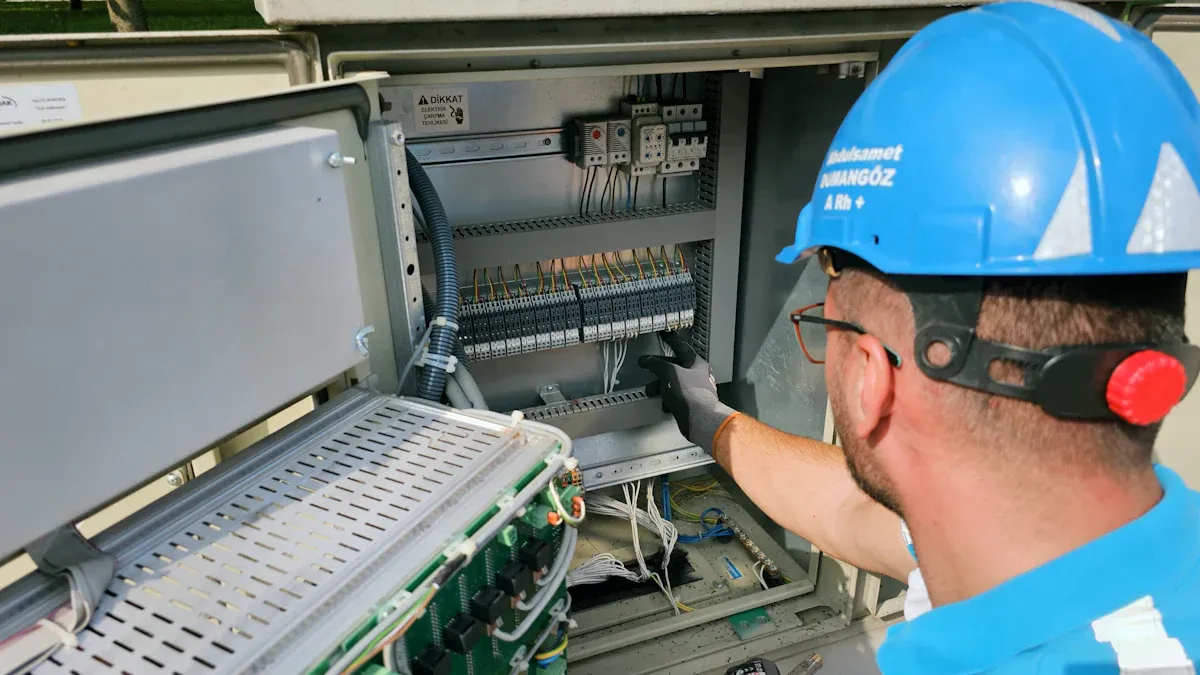
Proper installation and regular maintenance of a basic PDU ensure its optimal performance and the longevity of connected IT equipment. Businesses must follow best practices to maximize reliability and prevent potential issues.
Proper Mounting and Securing Your Basic PDU
Securing a PDU correctly within a server rack is crucial for stability and operational efficiency. Incorrect mounting can lead to power disruptions or equipment damage.
Stable Rack Installation Techniques
Businesses begin by assessing the rack enclosure dimensions. This ensures sufficient space for the PDU and confirms it meets power requirements. Next, they select a mounting location. This spot on the rack’s back or side panels must not obstruct airflow or access to other equipment. Before installation, businesses sort and tag all power cables. This organized approach simplifies future maintenance and troubleshooting. Installers then securely mount the PDU using provided brackets and fasteners. They ensure accurate positioning and locking. Finally, they attach each device to the PDU sequentially and carefully. This confirms effective power delivery. A thorough check of wire connections and PDU functions minimizes power loss or diversions. Ignoring rack dimensions or choosing the wrong installation height can hinder airflow and cause cable allocation imbalance. Improper fastening can also cause misalignment or dislodgement, impacting electricity flow.
Ensuring Adequate Airflow
Proper PDU placement directly impacts airflow within the rack. Vertical (0U) PDUs, mounted along the side, help maintain clear pathways for air circulation. Horizontal PDUs require careful positioning to avoid blocking vents or fans of other equipment. An incorrect installation height can lead to functional interference with cooling systems. Ensuring adequate airflow prevents equipment overheating, which can reduce performance and shorten hardware lifespan.
Effective Cable Management with a Basic PDU
Organized cabling is essential for efficient rack operation. It improves safety, simplifies maintenance, and enhances airflow.
Using Cable Ties and Velcro
Businesses use cable ties and Velcro straps to bundle and route power cables neatly. This prevents tangles and reduces clutter. Proper cable management ensures cables do not obstruct access to equipment or block cooling vents. It also makes identifying specific power connections easier.
Labeling Power Connections
Labeling each power connection at both ends is a best practice. This quickly identifies which device connects to which PDU outlet. Clear labels reduce troubleshooting time and prevent accidental disconnections during maintenance. A lack of cable structure or planning causes confusion and increases maintenance time.
Preventing Overload on Your Basic PDU
Overloading a PDU can lead to tripped circuit breakers and downtime. Businesses must manage power consumption carefully.
Distributing Loads Evenly
Businesses distribute electrical loads evenly across the PDU’s outlets. This prevents any single circuit from becoming overloaded. Load management involves spreading current across outlets, balancing current, and moving equipment to prevent overloads. This proactive approach ensures stable power delivery to all connected devices.
Monitoring PDU Load (if applicable)
Some basic PDUs include simple load indicators. These indicators help businesses monitor the total current draw. Frequent activation of protective devices, such as tripped circuit breakers or blown fuses, signals an overload. Other signs include voltage fluctuations, like dimming or flickering lights. Overheated cables, detected by unusual warmth, also indicate strain. Humming or buzzing sounds from electrical components suggest current straining against conductor limitations. A burning smell or visible burn marks around outlets signifies overheated components or wiring, posing a significant fire risk. Overheating reduces efficiency and lifespan of components, while dimming lights indicate an inconsistent power supply.
Routine Checks for Basic PDU Health
Regular checks on basic PDUs ensure their continued reliability and protect connected IT equipment. Businesses must implement a routine inspection schedule to prevent unexpected failures and maintain optimal performance.
Visual Inspections for Wear
Visual inspections are a critical first step in maintaining PDU health. The frequency of these inspections depends on several factors. Environmental conditions, the age of the units, and the criticality of the equipment they power all influence how often businesses should check their PDUs. While quarterly inspections serve as a general starting point, more frequent checks, such as monthly or even weekly, may be necessary in demanding operational environments. These regular assessments help identify potential issues before they escalate.
During a visual inspection, technicians should systematically examine several key areas:
- Visual inspection of all PDUs: Look for any signs of physical damage, such as cracks, dents, or discoloration on the casing.
- Verify load levels are within safe parameters: Check any indicators on the PDU to ensure the current draw remains below its maximum capacity.
- Check temperature around PDUs and cable connections: Feel for excessive heat, which can indicate an overload or a loose connection.
- Ensure proper cable management maintained: Confirm that cables remain neatly organized and do not obstruct airflow or create strain on connections.
These checks help businesses proactively address wear and tear, ensuring the PDU operates safely and efficiently.
Manufacturer Recommended Maintenance
Following manufacturer recommendations for maintenance is crucial for maximizing a basic PDU’s lifespan and ensuring its warranty remains valid. Each PDU model may have specific guidelines for care. Businesses should consult the product manual or the manufacturer’s website for detailed instructions.
Typically, manufacturer recommendations emphasize keeping the PDU clean and free from dust and debris. Dust accumulation can impede heat dissipation and potentially lead to overheating. Businesses can use compressed air or a soft, dry cloth for cleaning. Manufacturers also advise against exceeding the PDU’s rated capacity. This prevents stress on internal components and reduces the risk of circuit breaker trips. While basic PDUs generally do not require firmware updates, businesses should still verify this with the manufacturer. Adhering to these simple maintenance practices helps businesses avoid costly repairs and ensures their power distribution infrastructure remains robust and reliable.
Future-Proofing Your Basic PDU Investment
Businesses must consider the long-term when investing in basic PDUs. This ensures the power infrastructure remains relevant and efficient as IT needs evolve. Strategic planning helps avoid premature replacements and supports future growth.
Scalability Considerations for Basic PDUs
Scalability is crucial for any growing small or medium business. A PDU investment should accommodate future expansion without requiring a complete overhaul.
Planning for Additional Equipment
Businesses must plan for additional equipment. This involves incorporating extra capacity into the PDU selection. They should also select modular PDUs that allow easy expansion or modification. Staying informed about emerging technologies and standards in power distribution helps. This ensures the PDU can handle future demands. Planning for future equipment additions also means leaving space for expansion within the rack. Manufacturers design interchangeable chassis and subassemblies to support future hardware. They also consider sharing modules across entire product lines, such as fans, drives, or power supply units. Designing with ECAD simplifies communication between teams. This allows for future PCBA development without changing mechanical hardware. Businesses should include expansion zones for GPUs, storage, and interconnects. They must ensure empty slots do not serve as airflow bypasses. Designing fillers becomes necessary in such cases.
Modular Rack Solutions
Modular rack solutions offer significant advantages for scalability. They allow businesses to design plug-and-play connectivity for rapid scaling. This includes planning for switching capabilities on ejection mechanisms for modules needing warning to shut down. Modular designs ensure consistent cooling, power, and accessibility for additions. Incorporating modular PDUs can easily accommodate additional outlets.
Understanding Basic PDU Lifespan
The lifespan of a basic PDU directly impacts its value and reliability. Businesses need to understand how long these devices typically last.
Expected Durability and Reliability
The lifespan of a PDU depends on its build quality, usage, and maintenance. Reputable manufacturers like YOSUN, Eaton, Vertiv, Tripp Lite, and APC by Schneider Electric focus on features that enhance reliability and longevity. YOSUN products, for example, feature durable construction and overload protection, often with ISO9001 and UL certifications. Eaton PDUs are known for their rugged design, offering extended lifespans in industrial settings. Vertiv ensures longevity through robust safety mechanisms and high-quality materials. Tripp Lite provides cost-effective options with reliable performance. APC by Schneider Electric offers intelligent monitoring systems and scalable solutions, ensuring reliability in enterprise environments. Environmental factors like temperature, humidity, and dust also significantly affect lifespan. Brands like YOSUN offer features such as antiflaming PC modules and overload protection to guard against these elements.
When to Consider Upgrading
Businesses should consider upgrading a PDU when it shows signs of wear or no longer meets power demands. Frequent circuit breaker trips or visible damage indicate a need for replacement. Upgrading also becomes necessary when expanding IT infrastructure exceeds the PDU’s capacity.
The Evolving Role of Basic PDUs
Despite technological advancements, basic PDUs retain their fundamental importance in IT environments. Their core functions remain indispensable.
Core Functionality Remains Key
A basic PDU’s primary purpose is to take a single power input and distribute it to multiple outlets within the rack. This core functionality remains essential. It manages and distributes a single, high-power electrical input to multiple outlets. It ensures each connected device receives the correct voltage and current. The PDU prevents overloads and potential damage. It splits the primary power source into many different outlets. This plays a vital role in electrical power distribution by managing the flow of electricity. It also helps prevent power surges. Basic PDUs provide multiple outlets for connecting various electrical devices. They are primarily used for distributing power in environments where monitoring and management are not critical. They offer a reliable, cost-effective solution ideal for simple setups.
When to Consider Advanced PDU Features
Businesses should consider advanced PDU features when their needs extend beyond basic power distribution. Features like remote monitoring, individual outlet control, and environmental sensors offer greater control and efficiency. These advanced PDUs become beneficial in larger data centers or when remote management is a priority. They provide valuable insights into power consumption and help optimize energy usage.
Selecting the optimal basic PDU is fundamental for robust, reliable IT operations in any small to medium business. The recommended basic PDU models offer durability, essential features, and cost-effectiveness. They ensure infrastructure is powered and protected. Investing wisely in a quality basic PDU is a critical step. It leads to a resilient, efficient, and future-ready IT environment.
FAQ
What is a basic PDU?
A basic PDU (Power Distribution Unit) distributes electrical power from a single input source to multiple outlets. It functions like an advanced power strip, specifically designed for IT equipment in server racks. Businesses use them to organize power delivery and protect critical devices.
How does a basic PDU differ from a standard power strip?
Basic PDUs offer greater durability, higher power capacity, and enhanced safety features compared to standard power strips. They typically feature robust metal casings and integrate circuit breakers. Power strips often lack these industrial-grade components and are not designed for continuous, heavy IT loads.
Why is a basic PDU essential for small businesses?
A basic PDU provides reliable power distribution and protection for critical IT equipment. It safeguards against overloads and power surges, minimizing downtime risks. This ensures business continuity and protects valuable hardware investments, which is crucial for SMBs.
What are common outlet types found on basic PDUs?
Common outlet types on basic PDUs include NEMA 5-15R and IEC C13. NEMA 5-15R outlets are standard for many devices, while C13 outlets connect servers and networking gear. Some PDUs also feature C19 outlets for higher power demands.
Should a business choose a horizontal or vertical PDU?
The choice depends on available rack space and equipment density. Horizontal PDUs occupy 1U or 2U of rack space. Vertical (0U) PDUs mount along the side of the rack, conserving horizontal space. Vertical options often provide more outlets and improve cable management.
Do basic PDUs include surge protection?
Some basic PDUs include integrated surge protection, while others do not. Businesses must check the product specifications for a Joule rating to confirm this feature. If a PDU lacks built-in surge protection, businesses should consider an external surge suppressor for sensitive equipment.
How does one determine the correct PDU amperage?
Businesses calculate the total amperage load of all connected equipment. They sum the maximum power requirements of each device and add a 10-20% safety margin for future growth. This total load helps match the PDU’s amperage rating to the power supply.
How often should businesses perform maintenance checks on a basic PDU?
Businesses perform routine visual inspections of basic PDUs quarterly, or more frequently in demanding environments. They check for physical damage, ensure load levels are safe, and verify proper cable management. Following manufacturer recommendations ensures optimal performance and longevity. 🧐
 English
  Russian
  Spanish
  Portuguese
  Korean
  Japanese